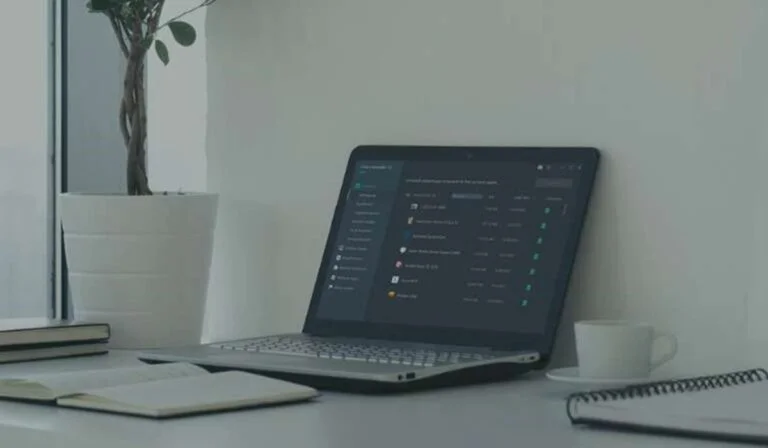
IObit PC Cleaner and Uninstall Tools Keep Your Computer Fast and Organized
Computers are an important part of daily life. People use them for work, gaming, education, entertainment, and communication. However, over time, PCs can become slower because of junk files, unnecessary applications, and background processes. This is where IObit software solutions become valuable. Known for creating optimization and maintenance tools, IObit offers products designed to improve system performance and simplify software management.
Two popular products from IObit are Advanced SystemCare, a powerful PC cleaner, and IObit Uninstaller, an advanced uninstall tool. Together, these applications help users maintain a faster, cleaner, and more stable computer.
What Is IObit?
IObit is a software company that develops utility tools focused on PC optimization, security, driver updates, and system maintenance. Its applications are designed for Windows users who want better performance without requiring advanced technical knowledge.
Millions of users worldwide rely on IObit solutions because they offer user-friendly interfaces and automation features that reduce the effort needed to maintain a computer.
Why Computers Slow Down Over Time
Many users notice their computers becoming slower after months or years of use. Several factors contribute to this problem:
- Temporary files accumulate
- Old registry entries remain unused
- Startup programs increase boot times
- Browser tracking files consume storage
- Software leftovers remain after uninstalling programs
- Fragmented system resources reduce efficiency
Regular maintenance can help prevent these issues and improve overall computer responsiveness.
Advanced SystemCare: A Powerful PC Cleaner
Advanced SystemCare is one of the most recognized optimization tools from IObit. It functions as a comprehensive PC cleaner designed to remove junk files, optimize system settings, and improve computer speed.
The software combines multiple maintenance functions into a single platform, making PC optimization easier for beginners and advanced users alike.
Key Features of Advanced SystemCare
1. Junk File Cleanup
Temporary files, cache files, and unused data can consume storage space over time. Advanced SystemCare scans the system and removes unnecessary files to free disk space.
Cleaning junk files can help improve storage efficiency and reduce clutter.
2. Registry Cleaning
Windows registry problems may affect system performance. Advanced SystemCare identifies invalid registry entries and removes unnecessary data to maintain system stability.
Registry optimization can contribute to smoother computer performance.
3. Startup Optimization
Too many startup applications can increase boot time. Advanced SystemCare helps users control startup items and disable unnecessary programs.
This feature helps computers launch faster after powering on.
4. Privacy Protection
Modern internet browsing creates cookies, tracking files, and browsing history. Advanced SystemCare includes privacy cleaning tools designed to remove digital traces.
Privacy-focused users appreciate having these controls available in one platform.
5. Performance Monitoring
The software includes monitoring tools that display CPU usage, RAM consumption, and system temperature information.
Real-time monitoring allows users to identify performance bottlenecks more effectively.
Benefits of Using Advanced SystemCare
Using a dedicated PC cleaner offers multiple advantages:
- Faster startup performance
- Reduced junk file accumulation
- Better storage management
- Improved overall responsiveness
- Simplified maintenance processes
For users who regularly install applications, download files, or browse extensively, maintenance software can help preserve long-term performance.
IObit Uninstaller: Remove Software Completely
Installing programs is simple, but removing them completely can be difficult. Standard Windows uninstall processes sometimes leave behind residual files, registry entries, and hidden folders.
IObit Uninstaller addresses this issue by acting as a professional uninstall tool designed to remove software thoroughly.
Why Software Leftovers Matter
Many applications leave behind:
- Configuration files
- Temporary installation files
- Registry entries
- Hidden folders
- Plugin data
These leftovers consume storage and may gradually impact performance.
An advanced uninstall solution helps eliminate unnecessary residual data.
Key Features of IObit Uninstaller
1. Complete Program Removal
IObit Uninstaller scans for leftover files after removing software. This additional cleaning process helps ensure applications are removed more thoroughly.
Users benefit from a cleaner system with less unwanted data.
2. Batch Uninstall
Removing multiple applications one at a time can be time-consuming.
Batch uninstall functionality allows users to remove several programs simultaneously, saving time and effort.
3. Browser Extension Removal
Browser toolbars and unwanted extensions can affect browsing speed and security.
IObit Uninstaller helps users identify and remove unnecessary browser add-ons.
4. Stubborn Program Removal
Some applications resist standard uninstall methods.
IObit Uninstaller includes deeper scanning capabilities that help remove difficult software more effectively.
5. Software Health Monitoring
The tool provides insights into installed software and identifies applications that may require attention.
This feature helps users maintain a more organized software environment.
Advanced SystemCare and IObit Uninstaller: Better Together
Although both products serve different purposes, they complement each other effectively.
Advanced SystemCare focuses on:
- PC cleaning
- Optimization
- System speed improvements
- Privacy cleanup
IObit Uninstaller focuses on:
- Complete software removal
- Leftover file cleanup
- Browser extension management
- Program organization
Combining optimization with software management creates a more complete maintenance strategy.
Who Can Benefit from These Tools?
These solutions are useful for many types of users:
Home Users
People using computers for daily tasks can maintain better performance without advanced technical skills.
Gamers
Gaming systems benefit from cleaner storage and optimized resources.
Office Professionals
Business users often install and remove productivity applications regularly.
Students
Students managing educational software and online learning tools may appreciate easier maintenance solutions.
Tips for Keeping Your PC Running Smoothly
Alongside using maintenance software, users can follow these practices:
- Remove unused applications regularly
- Keep drivers updated
- Clear temporary files periodically
- Limit unnecessary startup programs
- Scan for malware routinely
- Maintain sufficient free storage space
Consistent maintenance contributes to long-term system stability.
Final Thoughts
Maintaining a computer does not have to be difficult. Software solutions like IObit Advanced SystemCare and IObit Uninstaller simplify the process by providing automation and powerful maintenance features.
Advanced SystemCare works as a reliable PC cleaner, helping users remove junk files and optimize performance. Meanwhile, IObit Uninstaller functions as a specialized uninstall tool that removes software more thoroughly than standard methods.
Together, these applications provide a practical approach to keeping Windows systems clean, organized, and responsive. Users who prioritize performance, storage management, and long-term system health may find these tools valuable additions to their PC maintenance routine.












Post Comment